Start with your festival's name.
We'll do the first hour of work.
This is the actual first screen of the product. Type your festival's name or website and we go and read what is already out there — your logo, your colours, your city, your description — and fill the setup in for you. You correct whatever we got wrong.
We only read what your festival already publishes. Nothing is stored until you create an account.
Seven steps from nothing
to doors open.
This is everything running a festival on Performer App involves. Not a feature list — the actual order you do it in, and what you can stop doing yourself at each point.
Create your festival
⏱ 5 minutesYou do
Type your festival's name or website. Check the title, description, city and colours we found, and fix what is off.
The app does
Researches your festival, pulls in your logo and brand colours, and sets up your own space — your "universe" — with a web address ready to go.
Add your venues and stages
⏱ 10 minutesYou do
Add each room you programme: name, address, capacity, a photo. One entry per stage, not per building, if they run at the same time.
The app does
Puts every venue on the map in your app, works out the local time zone, and makes each one selectable everywhere a show needs a place.
Make it look like yours
⏱ 20 minutesYou do
Set your logo, wallpaper and four brand colours. Then arrange the screens of your app by dragging blocks around — hero, line-up, map, sponsors.
The app does
Applies your brand to the app, the website and every email and share preview. Screens are saved as layouts, so you can rearrange them mid-festival without an update.
Open for submissions
⏱ Then waitYou do
Share your sign-up link. Performers send you their show: description, poster, cast, and the nights and venues that work for them.
The app does
Collects every proposal in one inbox with the performer's full profile attached, and tells you the moment one arrives — push, email or WhatsApp.
Build the line-up
⏱ The fun partYou do
Accept the shows you want and propose a date, time and stage. For open mics and mixed bills, post free spots instead.
The app does
Asks the performer to confirm in one tap, keeps every stage and day free of clashes, and lets performers claim open spots themselves so you stop being the middleman.
Switch on tickets
⏱ 15 minutesYou do
Connect your Stripe account, set prices, capacities and any discount codes. Decide what stays free.
The app does
Sells through your app and site with Apple Pay and Google Pay, keeps Eventbrite in sync both ways, pays out to your own account, and handles refunds.
Go live and run it
⏱ Festival weekYou do
Watch sales, answer the odd proposal, push a schedule change when a headliner's flight is late.
The app does
Publishes to your app, your site and Eventbrite at once, notifies everyone affected by a change, gathers photos and gets them to the right performers, and keeps your mailing list fed.
Prefer to do it all yourself? You can create the shows, book performers straight out of the directory and fill the line-up top-down without waiting for a single submission.
Written by people
who have run the festival.
Programme & line-up
Money
Audience
Your team
It says your name.
Not ours.
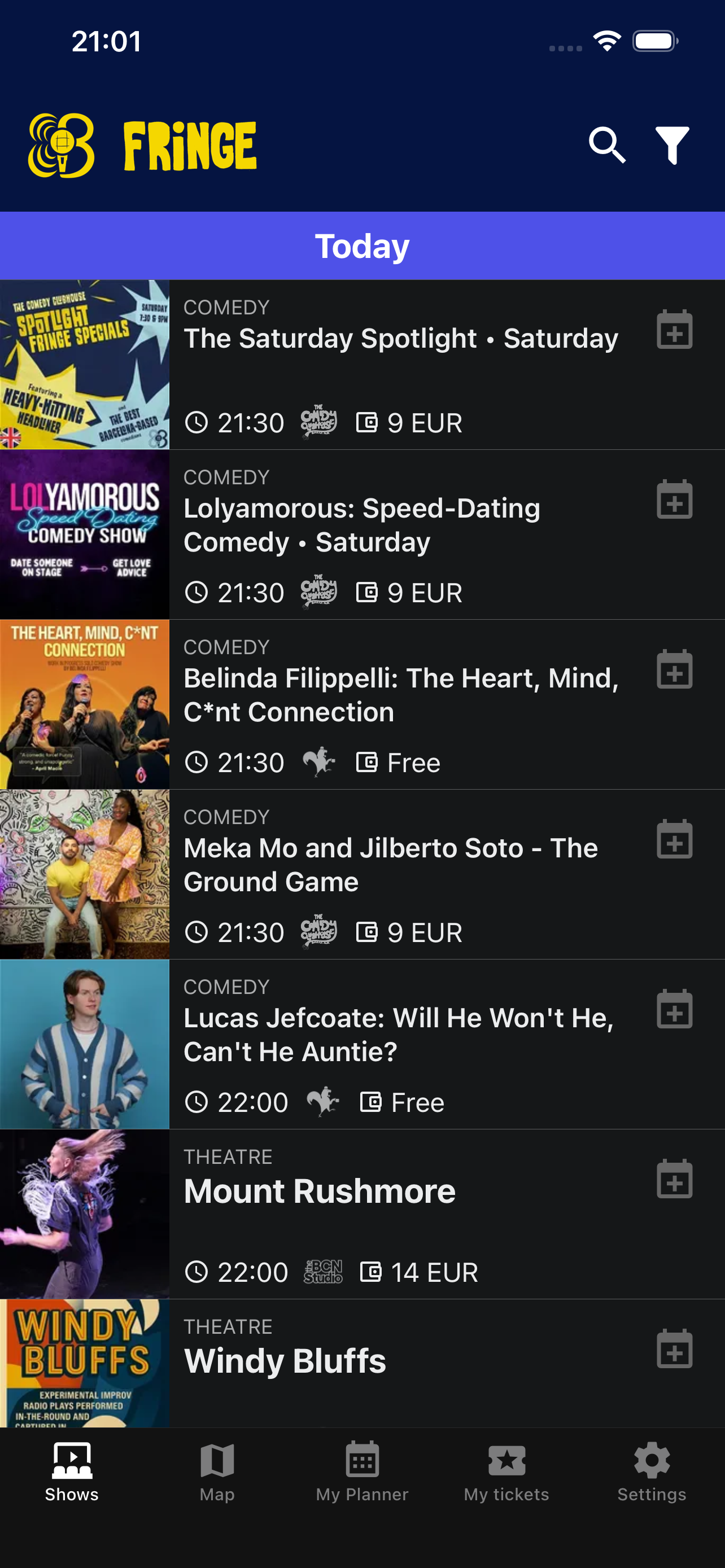
Attendees download your festival's app, in your colours, with your programme, your map and your tickets. We build, sign and ship it to both stores; you arrange the screens by dragging blocks around.
Hand out work
without handing over the keys.
Every festival hits the week where one person cannot answer everything. Access here is granular by design, so a venue manager can run their own room without seeing your ticket revenue.
Venue manager
Sees proposals for their room only, and can pitch their own dates. Keeps access to every show that runs at their venue, for as long as it does.
Show admin
Runs one show: its line-up, its media, its tickets and refunds. Cannot touch the rest of the programme.
Festival admin
Everything you can do. For your co-director and the person who actually answers the emails.
Start free.
Pay when you sell.
Per festival, per month. Your performers never pay a cent — which is exactly why they turn up.
Get your festival organised and take submissions.
Put the programme in front of the public and start earning.
Your own apps, in the App Store and Play Store.
Cancel any time. Ticket money runs through Stripe Connect into your own account — it never sits with us.
What festival directors ask first.
We already sell on Eventbrite. Do we have to move?
No, and we would not recommend doing it mid-season. The sync runs both ways, so your existing listings and ticket numbers stay right while you move at whatever pace suits you.
How long does setup actually take?
An afternoon for a festival that is ready to take submissions: the first step is largely done for you, venues are a form each, and branding is four colours and a logo. Branded apps take longer because the stores review them.
Do our performers have to pay?
Never. Performers use the platform free — proposing shows, confirming dates, claiming spots and keeping their own profile. The subscription is yours alone.
We run twelve venues over three weeks. Does it cope?
That is what it was built for. It is multi-tenant underneath: many venues, many stages, many days at once, with access scoped per venue so your managers only see their own room.
Can we use our own domain?
Yes. Your festival gets an address on performer.app straight away, and your own domain can point at it.
Who holds the ticket money?
You do. Payouts run through Stripe Connect directly into your account — we are never in the middle of it.
What if we don't want an app?
Then don't buy one. Lite and Basic cover the programme, the submissions, the line-up and the website. The apps are the Pro tier, and plenty of festivals never need them.
What happens to our data?
It is yours, exportable, and deletable. GDPR handling is built in — including for the performer and attendee data you are responsible for.
Next year's festival
starts with one form.
Type your festival's name, see what we already know about it, and have your first venue in before the coffee goes cold.
Set up my festival — free →Free plan · No credit card · Cancel any time
Performing instead of organising? →